Hoy, vosotros iran leer sobre FreeDOS, compatíble con MS-DOS 6.22.
Las funciones que aprendimos antes se pueden encontrar en los artículos anteriores sobre qemu con FreeDOS. Vamos a trabajar con máquinas qemu y VirtualBox.
El símbolo del sistema es una necesidad muy esencial, sin él, no puede aprender cómo se puede obtener el conocimiento.
Ahora, vamos a aprender cómo usar el comando dir, este comando es muy útil para listar un directorio.
Ahora vamos a ver el comando ver, con este comando podemos ver la versión del sistema en sí.
Ahora, veremos el directorio /s APPS, este comando listará un cierto directorio dentro.
Ahora, vamos a aprender cómo cambiar el directorio con el comando cd. Tenemos una tarea para cambiar de directorio, usamos este comando.
Welcome to the first article of the month on the coder by gleentech Labs. We are going to learn how to install podman on a macOS machine. We are going to try to make the task easier.
brew install podman-desktop
As we see, it’s already installed. Time a time we should update brew.
Now, we have the podman installed. We are going to see how to create an image to run on podman.
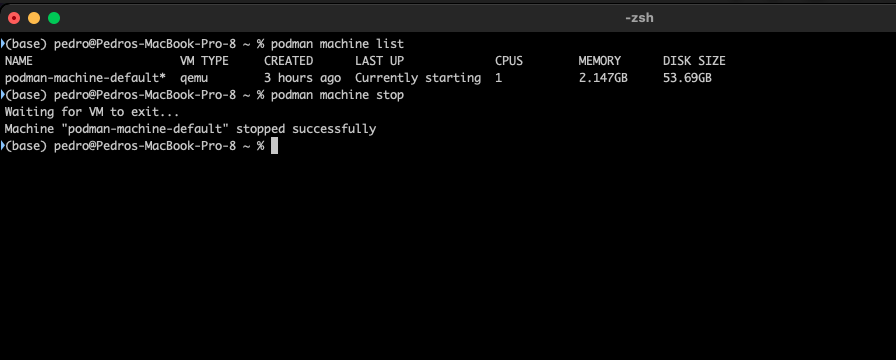
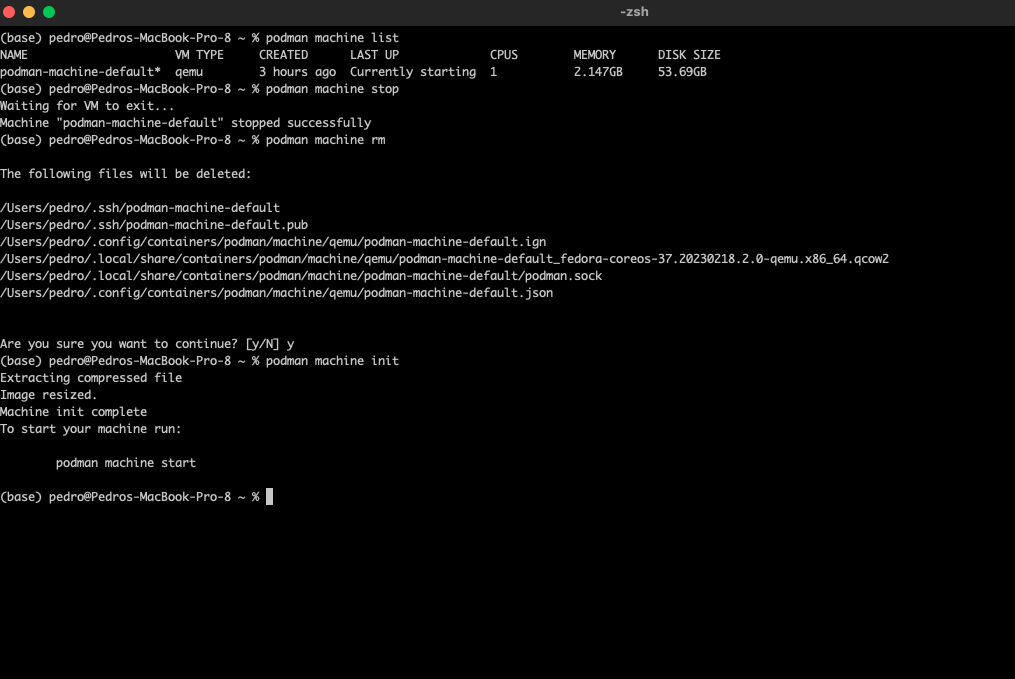
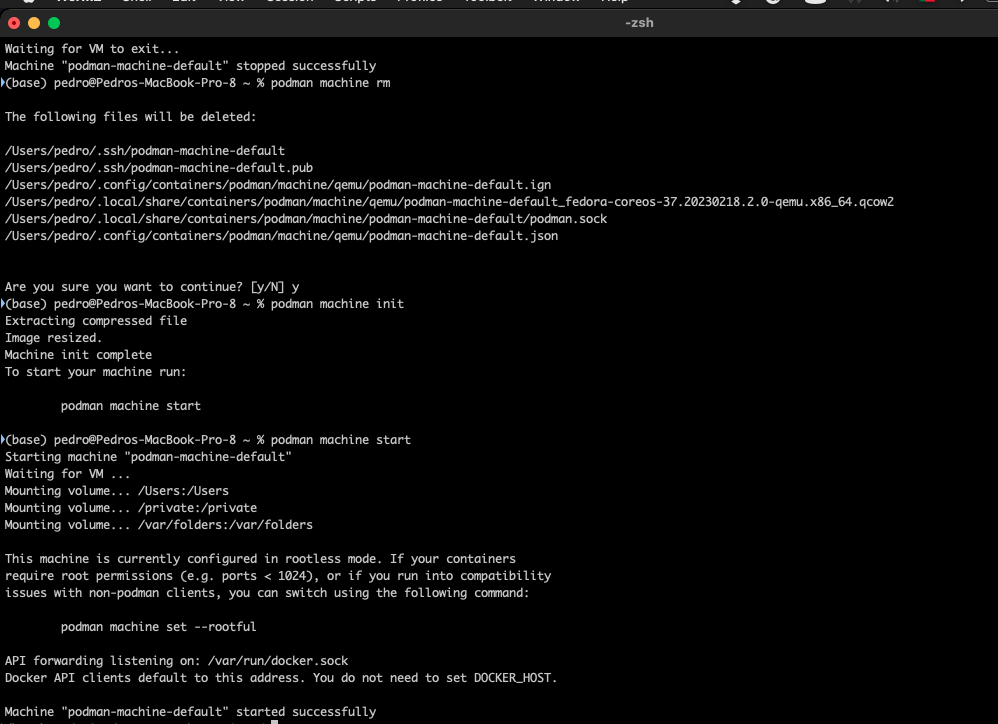
This command is to list the machines active. Now, we are going to delete this image to be prepared for our labs monthly.
Today, we are going to learn how to install esp-idf on macOS.
But first to compile the toolchain before that, we must install by brewing the following items on terminal or iTerm2
brew install cmake ninja dfu-util
We don’t have apple m1 or m2 so, we couldn’t test it with rosetta2. We tested on a big sur machine, MacBook pro. We have the toolchain running on a MBP dev machine.