Category: Labs

  • Kayte Lang for apache2

    Kayte Lang: Now Fully Compatible with Apache2

    We are thrilled to announce that Kayte Lang, our innovative programming language designed for versatility and performance, is now fully compatible with Apache2 web servers. This milestone makes Kayte Lang even more accessible for web developers and enthusiasts who want to harness its power in server-side applications.

    Why Apache2 Compatibility Matters

    Apache2 is one of the most widely used and trusted web servers globally. By enabling Kayte Lang to run seamlessly in an Apache2 environment, we empower developers to:

    • Expand Their Toolkit: Integrate Kayte Lang’s unique features into existing web applications.
    • Leverage Apache2’s Robust Features: Combine Kayte Lang’s speed and simplicity with Apache2’s proven performance, scalability, and security.
    • Deploy Quickly: Use .kayte files alongside .php files without additional setup or tools.

    How It Works

    Kayte Lang files (.kayte) are processed as PHP files, allowing them to leverage the full power of PHP while retaining Kayte Lang’s syntax and benefits. Here’s how the integration works:

    1. Apache2 Configuration: .kayte files are set up to be handled by the PHP interpreter in Apache2. This ensures smooth execution of Kayte Lang scripts.
    2. Native Syntax Support: Developers write in .kayte files just as they would in .php files, with Kayte Lang’s unique features.
    3. Seamless Deployment: Upload .kayte files to your web server, and they will execute like standard PHP files—no special runtime required.

    Getting Started

    To start using Kayte Lang with Apache2:

    1. Install Apache2: Ensure you have Apache2 and the PHP module installed on your server.
    2. Configure Apache2 for Kayte Lang: Modify the Apache configuration to recognize .kayte files.
    3. Write and Deploy: Create .kayte files and upload them to your server.

    For a detailed guide on setting up Apache2 for Kayte Lang, check our documentation here.

    Key Features of Kayte Lang on Apache2

    • High Compatibility: Works alongside existing PHP applications.
    • Performance-Oriented: Designed for efficiency in server-side operations.
    • Extensibility: Easily integrates with databases, APIs, and modern web technologies.
    • Lightweight and Intuitive: Perfect for both small scripts and complex server-side logic.

    What’s Next

    The integration of Kayte Lang with Apache2 is just the beginning. Our roadmap includes:

    • Native Support for More Servers: Including Nginx and IIS.
    • Enhanced Debugging Tools: To simplify development workflows.
    • Kayte Framework: A lightweight framework tailored for rapid application development in Kayte Lang.

    Join the Kayte Lang Community

    We are excited to see what you’ll create with Kayte Lang and Apache2! Share your projects, feedback, and ideas with the growing community of Kayte Lang developers.

    Visit Kayte Lang’s official website to learn more, access resources, and download the latest version.

    Let’s redefine server-side development together with Kayte Lang!

  • Kayte Lang

    # Kayte Lang PoC: A New Programming Language for Custom Applications
    
    **Kayte Lang** is a lightweight and dynamic programming language designed for flexibility and efficiency. The language aims to simplify application development by offering a minimalistic yet powerful syntax for both logic and UI components. This article presents the Proof of Concept (PoC) version of Kayte Lang and its core features, showcasing its potential for building modern applications.
    
    ## Why Kayte Lang?
    
    Kayte Lang was created with the goal of balancing simplicity and power in programming. It is perfect for rapid development while still maintaining enough flexibility to scale for larger projects. Whether you're building desktop applications, mobile apps, or even cross-platform UI components, Kayte Lang offers a clear and structured approach to development.
    
    ### Key Features of Kayte Lang PoC
    
    1. **Simple and Intuitive Syntax**: Kayte Lang provides an easy-to-learn syntax, lowering the barrier for new developers while supporting complex programming patterns.
    2. **Bytecode Compilation**: Kayte Lang scripts are compiled into bytecode, which is then executed by the custom Kayte Virtual Machine (VM). This ensures efficient execution across multiple platforms.
    3. **UI Component Definition**: Kayte Lang allows developers to define UI components using XML and DTD, creating a structured and reusable approach to UI design.
    4. **Lightweight Virtual Machine (VM)**: The Kayte VM is optimized to run Kayte bytecode, ensuring efficient resource management and performance.
    5. **Cross-Platform Support**: Kayte Lang can be compiled and executed on multiple platforms, including iOS, Android, macOS, Windows, and more.
    
    ## Syntax Overview
    
    Kayte Lang’s syntax is designed to be simple yet versatile, supporting common programming paradigms like object-oriented and functional programming.
    
    ### 1. Functions
    
    Functions in Kayte Lang are defined using the `function` keyword.
    
    ```kayte
    function greet() {
        print("Hello, World from Kayte Lang!");
    }

    2. Variable Declaration

    Variables are declared using the `var` keyword.

    var name = "Kayte Lang";

    3. Conditional Logic

    Conditional statements are handled using `if` and `else`.

    if (name == "Kayte Lang") {
        print("Welcome to Kayte Lang!");
    } else {
        print("Unknown language");
    }

    4. Loops

    Kayte Lang supports `for` loops for iteration.

    for (var i = 0; i < 10; i++) {
        print(i);
    }

    5. Error Handling

    Error handling is done using `try` and `catch` blocks.

    try {
        var result = riskyOperation();
    } catch (error) {
        print("An error occurred: " + error);
    }

    Example: A Simple Kayte Lang Script

    Here's an example of a simple UI script written in Kayte Lang:

    window main {
      title: "Kayte Lang Demo"
      width: 800
      height: 600
    
      content {
        button {
          id: "btnClickMe"
          text: "Click Me!"
          onclick: showMessage()
        }
      }
    }
    
    function showMessage() {
      print("Button clicked!");
    }

    This script defines a basic window with a button that prints "Button clicked!" to the console when clicked.

    Bytecode Compilation and Execution

    Kayte Lang compiles its source files into bytecode, which is then executed by the Kayte Virtual Machine. The VM ensures cross-platform compatibility and optimized performance.

    Bytecode Example

    Below is an example of how a Kayte Lang script gets compiled into bytecode.

    BYTECODE INSTRUCTION SAMPLE:
    LOAD_CONST   0 (Button clicked!)
    CALL_FUNCTION 1
    RETURN_VALUE

    This makes it possible to run Kayte Lang scripts efficiently on multiple platforms without the overhead of high-level interpretation.

    UI Component Definition

    One of the standout features of Kayte Lang is its ability to define UI components using XML and DTD. This method ensures that the UI is both structured and easily maintainable.


    With this structured format, complex UIs can be built and maintained in a consistent and readable way.

    Roadmap for Kayte Lang

    Kayte Lang is currently in its Proof of Concept phase, but there are ambitious plans for future development, including:

    • Advanced Type System: Adding support for a stronger type system to improve safety and performance.
    • Optimized VM: Further enhancements to the Kayte VM to boost speed and efficiency.
    • Standard Libraries: Expanding Kayte Lang’s ecosystem with libraries for common tasks like file handling, networking, and more.
    • Cross-Platform UI Toolkit: Developing a unified UI framework to build applications for multiple platforms with a single codebase.

    Get Involved

    Kayte Lang is an open-source project, and contributions are welcome! Whether you're interested in improving the language, building libraries, or providing feedback, you can get involved.

    GitHub Repositories:

    By contributing to these repositories, you can help shape the future of Kayte Lang.

    Conclusion

    Kayte Lang is a promising new language that simplifies modern application development without sacrificing power or performance. With its clean syntax, bytecode execution, and cross-platform support, it has the potential to become a valuable tool for developers across various domains.

    As Kayte Lang continues to evolve, its flexibility and ease of use will make it a compelling choice for developers looking to build both simple and complex applications.

    Stay tuned for more updates as Kayte Lang moves beyond its PoC phase into full-scale development!


  • ringsCE morpheus F2F

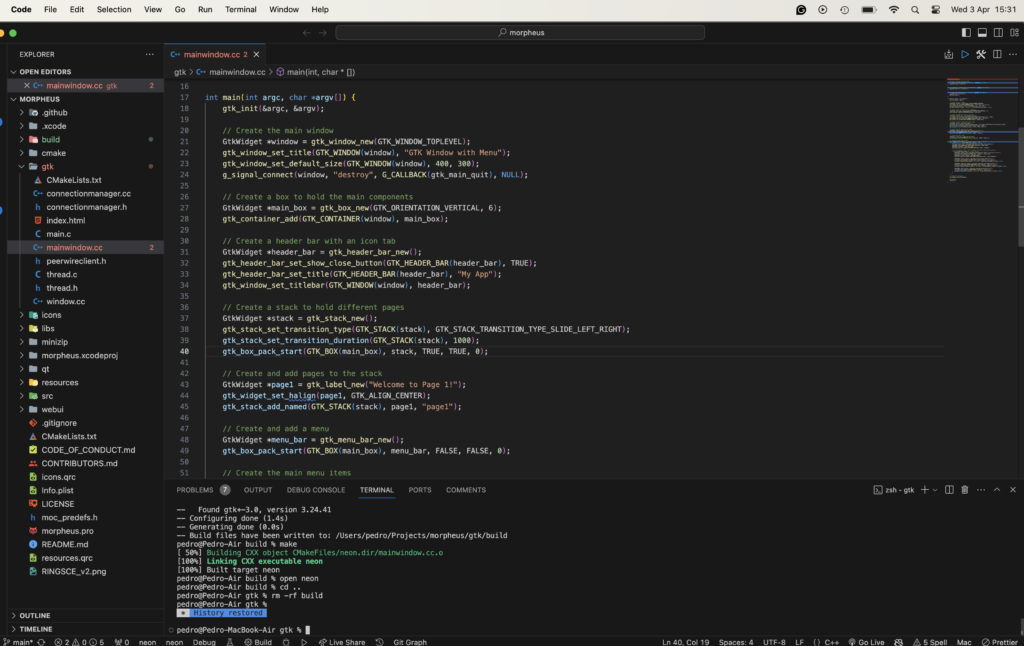
    Today, we are going to learn how to build the ongoing project morpheus F2F, where you will find an API written in C++. Where you are going to be able to see your documents purchased on ringsce shop.

    git clone https://github.com/ringsce/morpheus.git

    Besides being an F2F is an engine to download the assets for Ekron CCG and RPG.

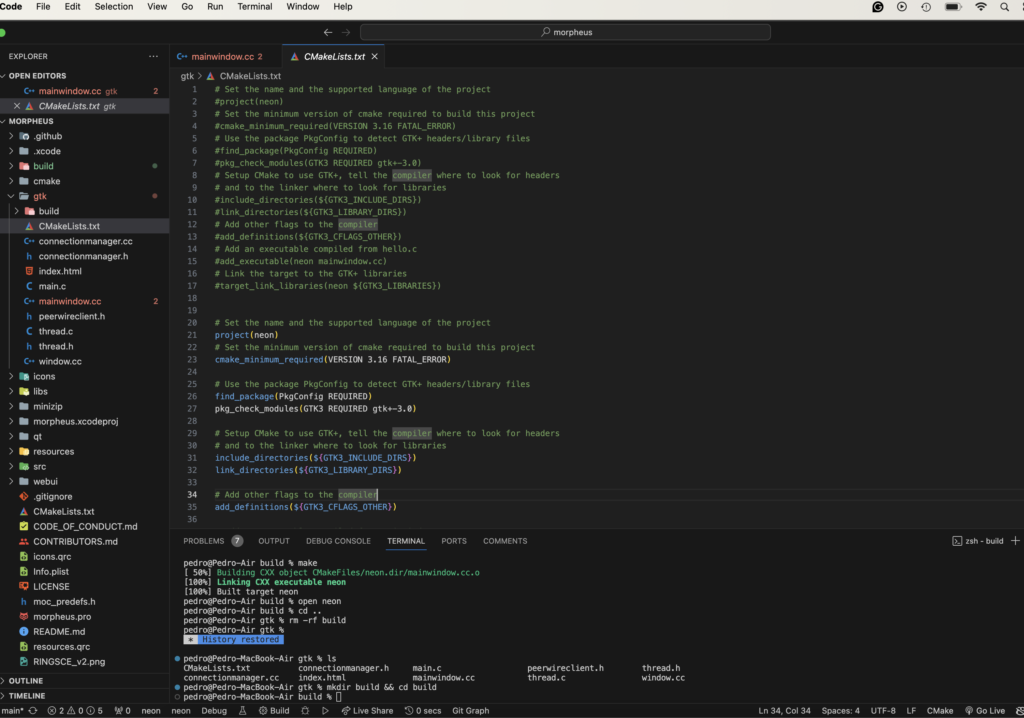
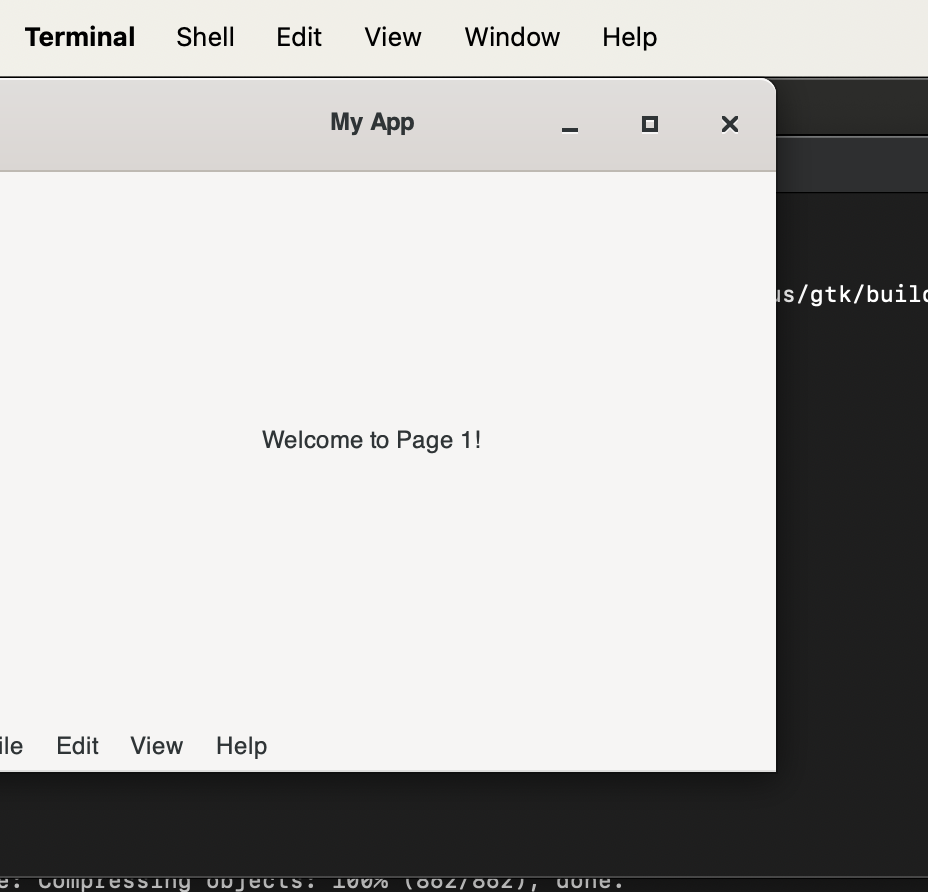
    Open the folder on vs code, it's there it is being coded. Today, our focus will be the gtk3 UI.

    Now, go to terminal:

    cd gtk && mkdir build && cd build
    cmake ../ && make
    

    Then:

  • ringsCE phosh status #1

    Introduction:

    In the dynamic landscape of technology, the convergence of open-source platforms and mobile computing has ushered in a new era of innovation and collaboration. One such convergence is the utilization of the Samsung A13 as the elected device, alongside the Fedora 38 aarch64 image on the MacBook Air M2, to craft images tailored for the Phosh mobile environment. This symbiotic relationship not only underscores the flexibility of open-source software but also exemplifies the cooperative efforts aimed at enhancing user experiences across diverse platforms.

    Utilizing the Samsung A13 as the elected device alongside the Fedora 38 aarch64 image on the MacBook Air M2 represents a pivotal step in the creation of optimized images for the Phosh mobile environment. Known for its user-centric design and adaptability, Phosh finds a natural fit on devices powered by the Samsung A13 chipset. By harnessing the capabilities of Fedora 38 and the innovative hardware of the MacBook Air M2, developers can seamlessly craft mobile experiences tailored to the Samsung A13 ecosystem.

    Beyond the realm of interface optimization, a broader collaborative initiative is underway to revolutionize the gaming landscape on Samsung A13 devices. Central to this initiative is the development of an open-source gaming platform specifically designed for the Samsung A13 chipset. At its core lies the Samsung A13 gaming ringsce engine, a dynamic framework designed to empower developers and gamers alike.

    The Samsung A13 gaming ringsce engine embodies a fusion of cutting-edge technology and community-driven innovation. By embracing open-source principles, developers have created a platform that not only pushes the boundaries of mobile gaming but also fosters inclusivity and collaboration within the gaming community. Thus, the Samsung A13 gaming ringsce engine serves as a testament to the transformative power of open-source development and collective creativity.

    In summary, the utilization of the Samsung A13 as the elected device alongside the Fedora 38 aarch64 image on the MacBook Air M2 to build images for the Phosh mobile environment signifies a convergence of innovation and collaboration. Moreover, the development of the Samsung A13 gaming ringsce engine underscores a commitment to redefining the gaming experience on mobile platforms. Together, these initiatives represent the forefront of open-source development, driving forward a future where technology is accessible, inclusive, and empowering for all.

    Conclusion:

    In conclusion, the Phosh mobile environment represents a compelling testament to the power of open-source software and collaborative development efforts. With its user-centric design philosophy and adaptability to diverse hardware platforms like the Samsung A13, Phosh exemplifies the potential for creating seamless and intuitive mobile experiences.

    As showcased through the utilization of the Fedora 38 aarch64 image on the MacBook Air M2, alongside the Samsung A13 chipset, Phosh embodies a convergence of innovation and practicality. By harnessing the capabilities of open-source software and leveraging cutting-edge hardware, developers can craft mobile interfaces that prioritize user experience and accessibility.

    Furthermore, Phosh's integration into projects such as the Samsung A13 gaming ringsce engine demonstrates its versatility beyond traditional mobile interfaces. Through initiatives like these, Phosh serves as a catalyst for redefining not only how users interact with their devices but also how developers collaborate to push the boundaries of mobile computing.

    In essence, Phosh embodies the ethos of open-source development, fostering inclusivity, creativity, and community-driven innovation. As technology continues to evolve, Phosh stands as a beacon of possibility, offering a glimpse into a future where mobile experiences are seamless, personalized, and empowering for all users.

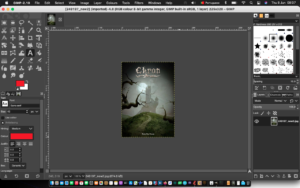
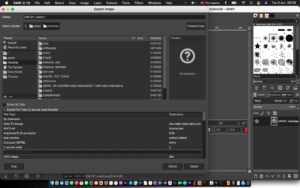
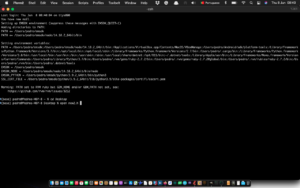
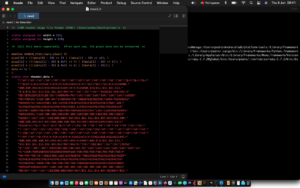
  • Cómo hacer un c header con una imagen de foto

    Hola Lectores,

    Hoy,

    vamos a aprender cómo hacer un c header a partir de un archivo de imagen jpeg.

    .

  • Create a header file from a photo file

    Hello readers,

    Today, we are going to learn how to make a c header from a jpg image file.


  • podman installation

    Welcome to the first article of the month on the coder by gleentech Labs. We are going to learn how to install podman on a macOS machine. We are going to try to make the task easier.

    brew install podman-desktop

    As we see, it's already installed. Time a time we should update brew.

    Now, we have the podman installed. We are going to see how to create an image to run on podman.

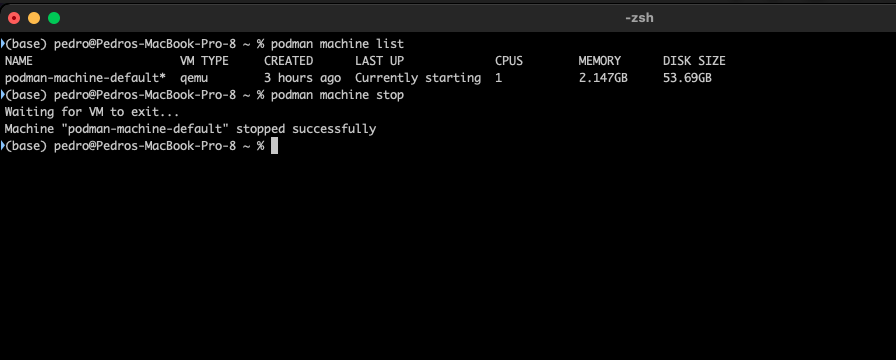
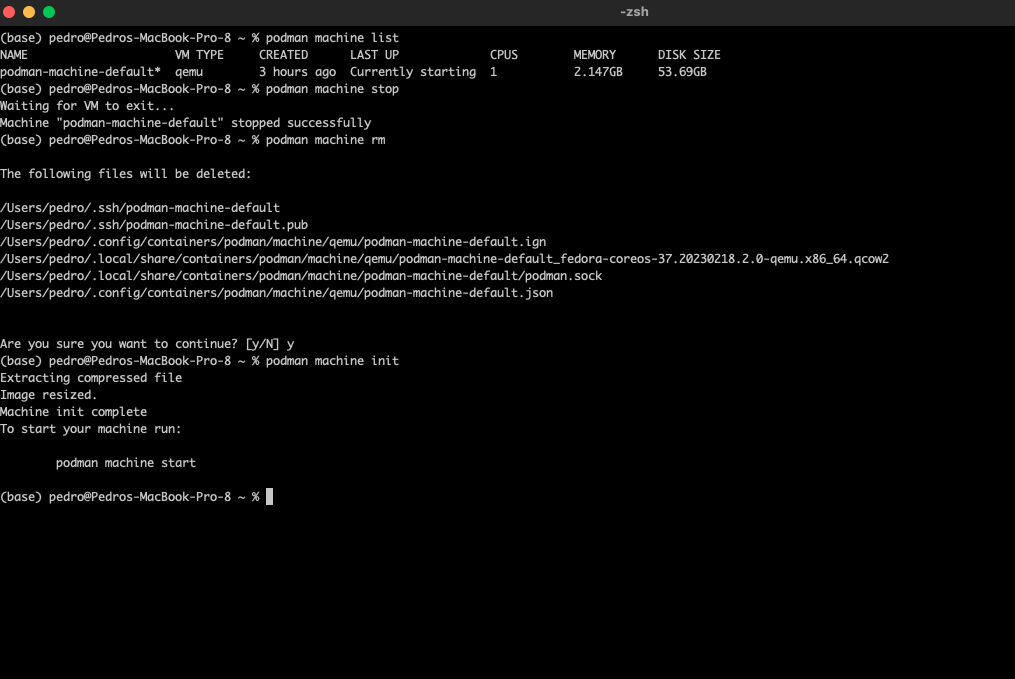
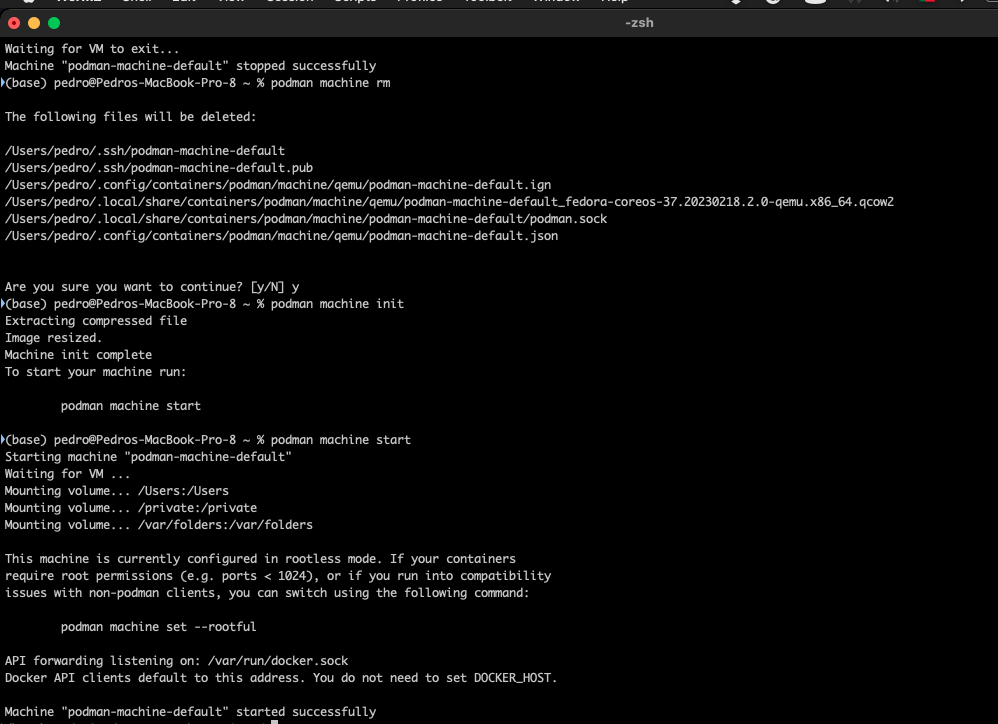
    This command is to list the machines active. Now, we are going to delete this image to be prepared for our labs monthly.

    podman machine list
    podman machine stop

    podman machine rm
    podman machine init

    podman machine start

coder by Gleentech
Privacy Overview

This website uses cookies so that we can provide you with the best user experience possible. Cookie information is stored in your browser and performs functions such as recognising you when you return to our website and helping our team to understand which sections of the website you find most interesting and useful.